Students, attendance, grades, fees, payroll, and timetables — all in one app. No subscription. No vendor lock-in. Installed on your computer, yours to keep.
Windows 10/11 · v2.6.3 · License key required to activate
One purchase, every module. No add-ons, no per-seat fees, no cloud dependency.
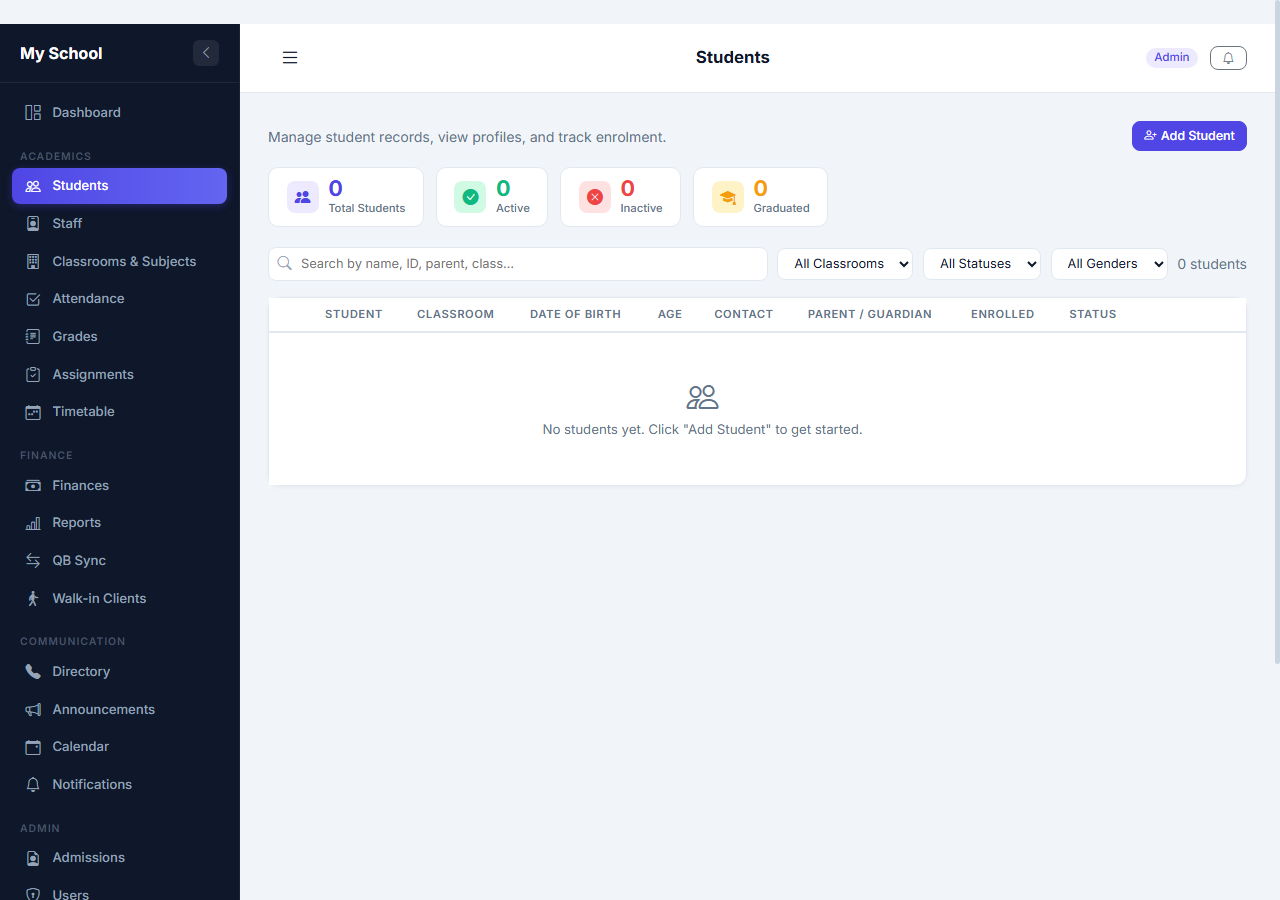
Full student profiles, enrollment, parent contacts, medical notes, photo IDs, and status tracking.
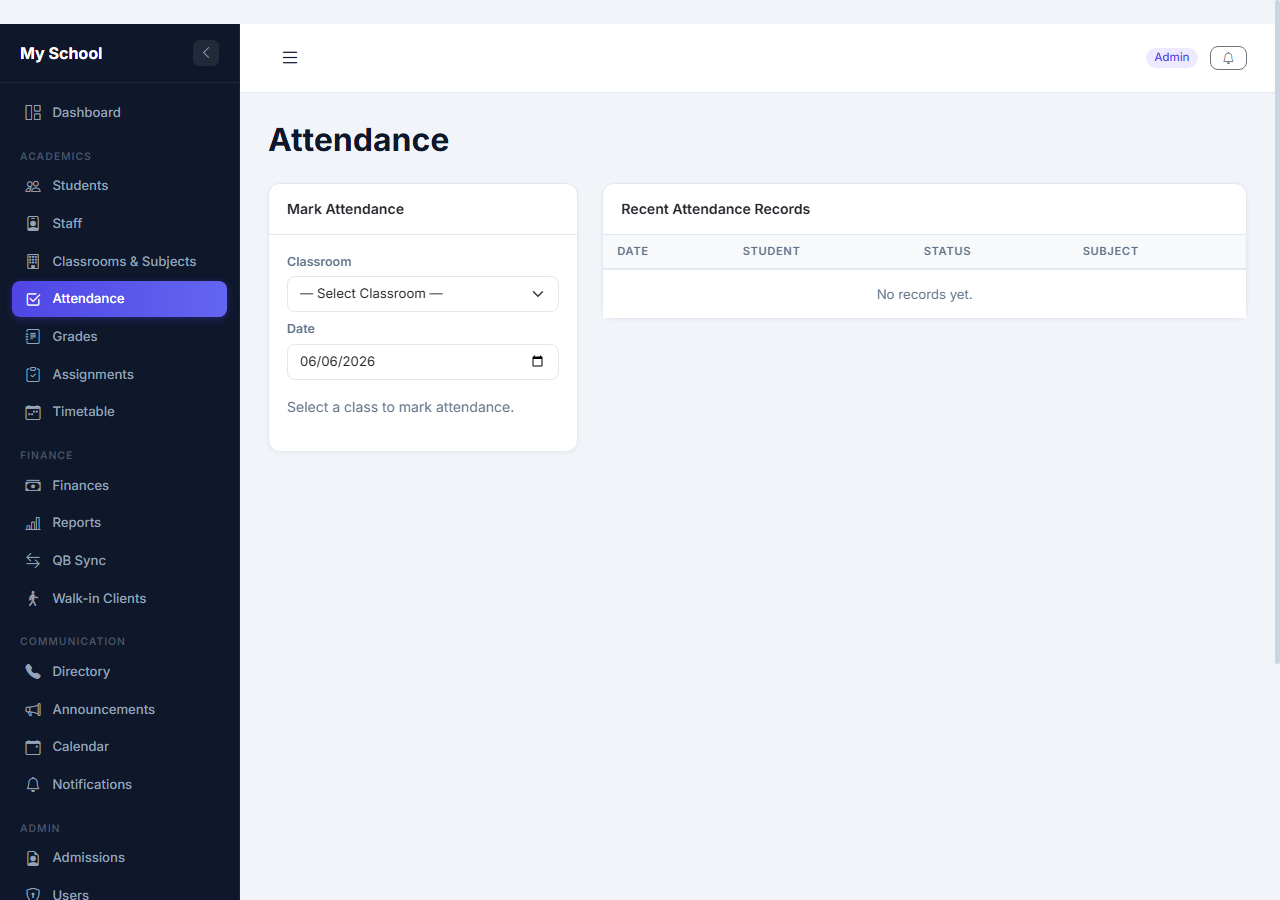
Daily attendance by class or student. Absence summaries and exportable reports for any date range.
Enter grades by subject, auto-calculate averages, and print professional report cards and IEPs.
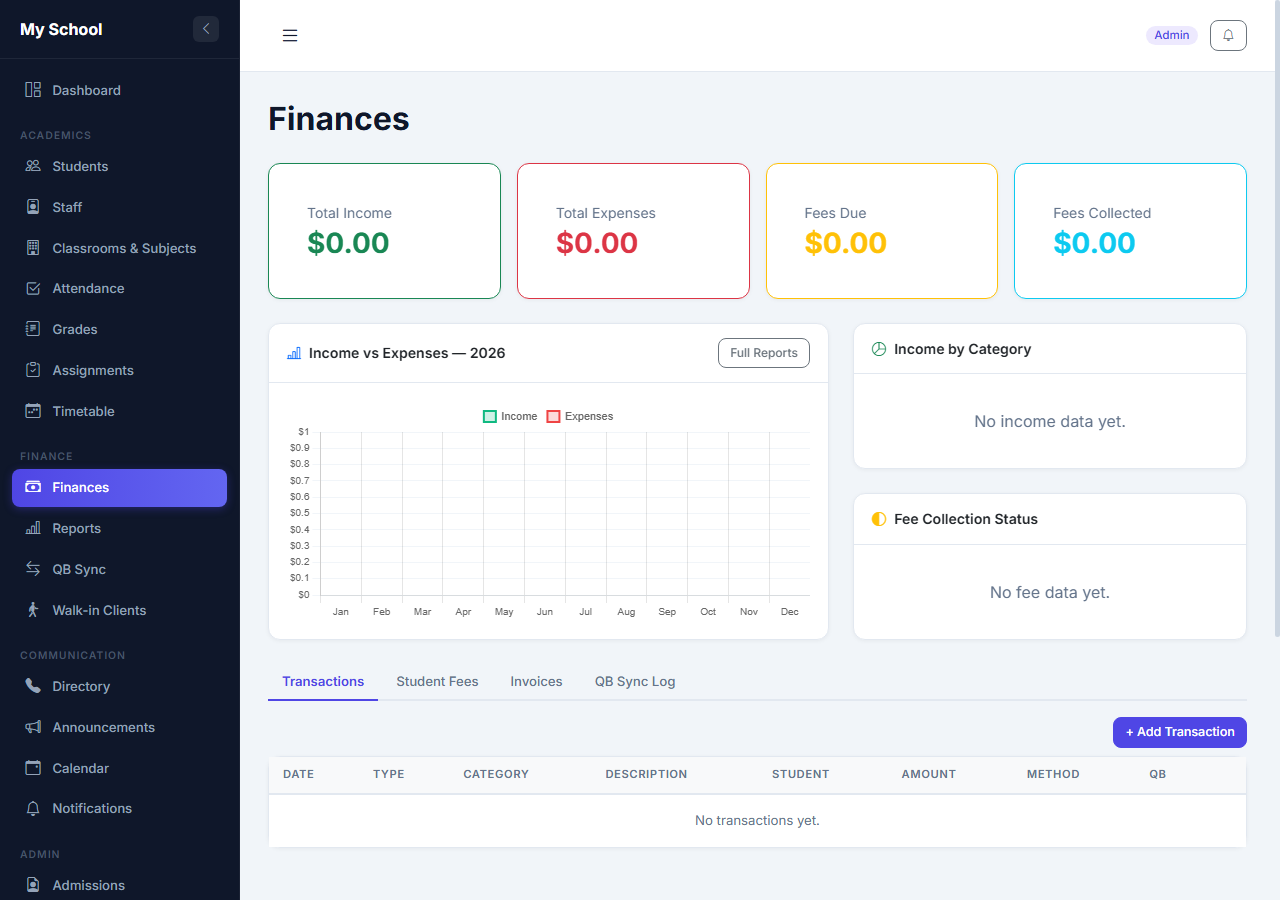
Track tuition, fees, and payments per student. Print receipts. Monitor outstanding balances at a glance.
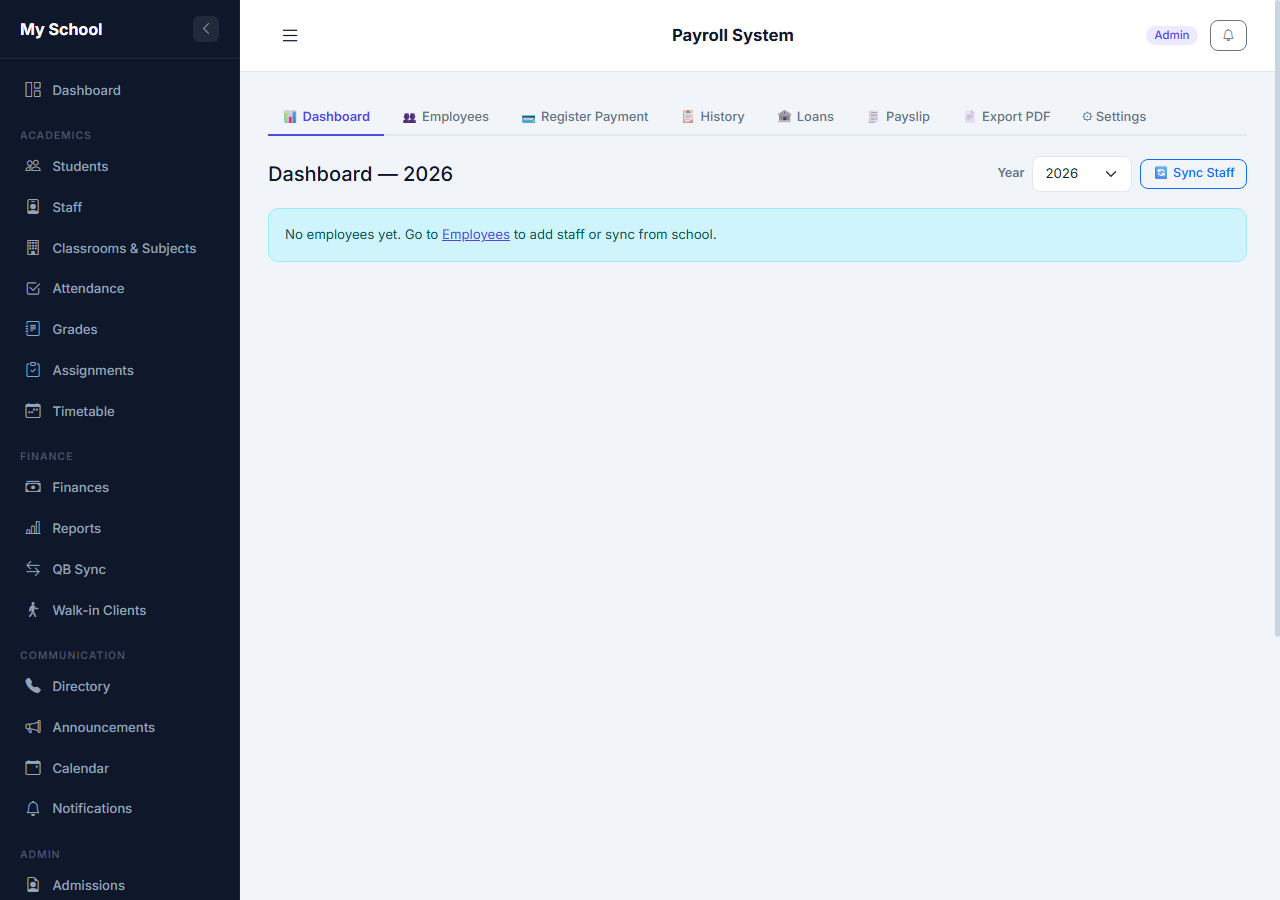
Full payroll — salaries, NIB contributions, deductions, loans, payslip PDFs, and monthly reports.
Build weekly class schedules, assign teachers, and let staff and students view their own timetable.
Post school-wide or role-specific announcements. Staff and parents see them on login.
Secure logins for parents and students to view grades, attendance, fees, and announcements.
Admin, teacher, accountant, front-desk, parent, and student roles — each fully customisable.
Financial reports, attendance summaries, payroll exports — PDF or CSV at any time.
Open from any phone, tablet, or computer on the same Wi-Fi. Installable as a PWA on mobile.
Set your school name, address, logo, and contact info — all from the admin panel. Branded throughout the app.
Load your entire student roster or staff list from any spreadsheet. Flexible column detection — works with your existing files.
Powered by Claude. Helps staff draft lesson plans, report card comments, translations, and answer questions — right inside the app.
A tablet in the waiting room lets clients self-register, fill in intake forms, and complete assessment questionnaires — no staff needed.
Configure your SMTP settings from the admin panel and the system sends invoice emails, fee statements, and notifications automatically.
Track tuition, fees, and payments per student in real time. Issue professional invoices, apply credits, and print receipts — all without a spreadsheet.
Every module shown here is included in all plans. No upsells, no locked features.


Subscription software charges you monthly — forever. The longer you use it, the more you pay. SchoolMS is one payment and it's yours.
No monthly fees. No per-student charges. Pay once, use it as long as you want.
For schools with up to 100 students.
For schools with 100–300 students.
For schools with 300+ students. Includes multi-branch deployment.
All purchases include lifetime access to the version you buy. You receive a license key by email, enter it on first launch, and you're set.
Setup & training and annual support & updates are optional add-ons, billed separately from the one-time license.
Need a custom quote? Contact us.
Windows 10/11 · Requires license key to activate · Same key works on either version
"We were spending $180/month on three separate tools that still didn't talk to each other. SchoolMS replaced all of them. We paid $1,000 once and haven't paid anything since."
"Payroll used to take my accountant a full day every month — now it takes 20 minutes. NIB contributions are automatic, payslips print in one click. It paid for itself in the first month."
"Parents stopped calling the office to ask about grades and fees — they just check it themselves. Staff phone calls dropped by more than half in the first week."
Get the free installer — 2.2 MB, works on any Windows 10 or 11 computer.
Choose a plan. You'll receive a license key by email within 24 hours of payment.
Run the installer, open the app, enter your key. Done in under 5 minutes.
Use the setup guide to configure your school. Import students & staff from a CSV, and start. Any device on your Wi-Fi connects through the browser.
By default SchoolMS runs on your local Wi-Fi. If you want staff, parents, or students to connect from outside campus, you can set up your own Cloudflare Tunnel — giving your system a real HTTPS URL accessible from anywhere. You create and manage your own Cloudflare account; we are not involved in that connection.
192.168.x.x:5000setup_cloudflare.bat included in your install. It downloads cloudflared, logs in, and configures everything automatically.SchoolMS runs on the computer that acts as your school's server. Client devices (phones, tablets, laptops) only need a browser.
Yes. After install, the app runs completely offline. Staff access it through your local network — no cloud required.
Yes. Install on one computer (your "server") and every device on the same Wi-Fi opens it in any browser.
Your tier (see pricing above) is based on your total student count. Staff account limits are separate and only apply to login accounts, not student records.
Windows 10 or 11 on the server. Other devices just need a browser — Chrome, Safari, Firefox, or Edge.
No. Pay once and own that version forever. Future major updates may be available at a discounted upgrade price.
Salaries, NIB contributions, deductions, loan tracking, payslip PDFs, and monthly payroll reports. Staff sync automatically from the school roster.
Yes. Email support in all plans. Tier 2 and Tier 3 have priority response. Tier 3 includes a remote setup call.
If the software can't run on your computer within 14 days, contact us for a full refund. We'll try to resolve it remotely first.
Yes. Full English and Spanish support is included. Switch language from the sidebar with one click — no restart needed.
Yes — using your own Cloudflare Tunnel. You create a free Cloudflare account at cloudflare.com, add your domain, then run the setup_cloudflare.bat script included with SchoolMS. It sets everything up automatically and gives your system a real HTTPS URL like school.yourdomain.com. We are not connected to your tunnel — you own and manage your Cloudflare account entirely. See the Go Online section for the full guide.
Yes. The Import Data page accepts any CSV file (export from Excel as "CSV UTF-8"). The system auto-detects your column names — it understands common variants like "first name", "firstname", "Mother-Name", "job title", and more. Existing records are updated, new ones are created, and IDs are auto-generated if missing.
Fully self-contained installer — bundles its own private copy of Python and every dependency, so no separate Python install and no internet connection are needed to set up · Restored and hardened the license activation system · Expanded installation & setup guide in the user manual. v2.5 introduced: Bulk CSV import for students & staff · Built-in AI Assistant (powered by Claude, API key configured in-app) · Walk-in client kiosk for self-service tablet intake · In-app SMTP/email setup (no .env file editing) · First-time setup guide on the admin dashboard · Desktop shortcut auto-creation · Expanded troubleshooting.